 ViraFlow
Visual hook
An engaging piece of street art depicting a celebrity stepping out of a giant smartphone screen onto a city sidewalk, surrounded by floating social media emojis.

Turn reference images into reusable AI prompts. Upload an image or paste a public image URL, and ViraFlow breaks down the composition, style, lighting, and visual logic behind the look.
PNG, JPG, WEBP, or AVIF up to 10MB
Reference preview
Upload inputReview the source image, understand the reusable visual rules, and unlock the final prompt when you are ready to create the next version.
Source Image
Original visual reference for the breakdown.
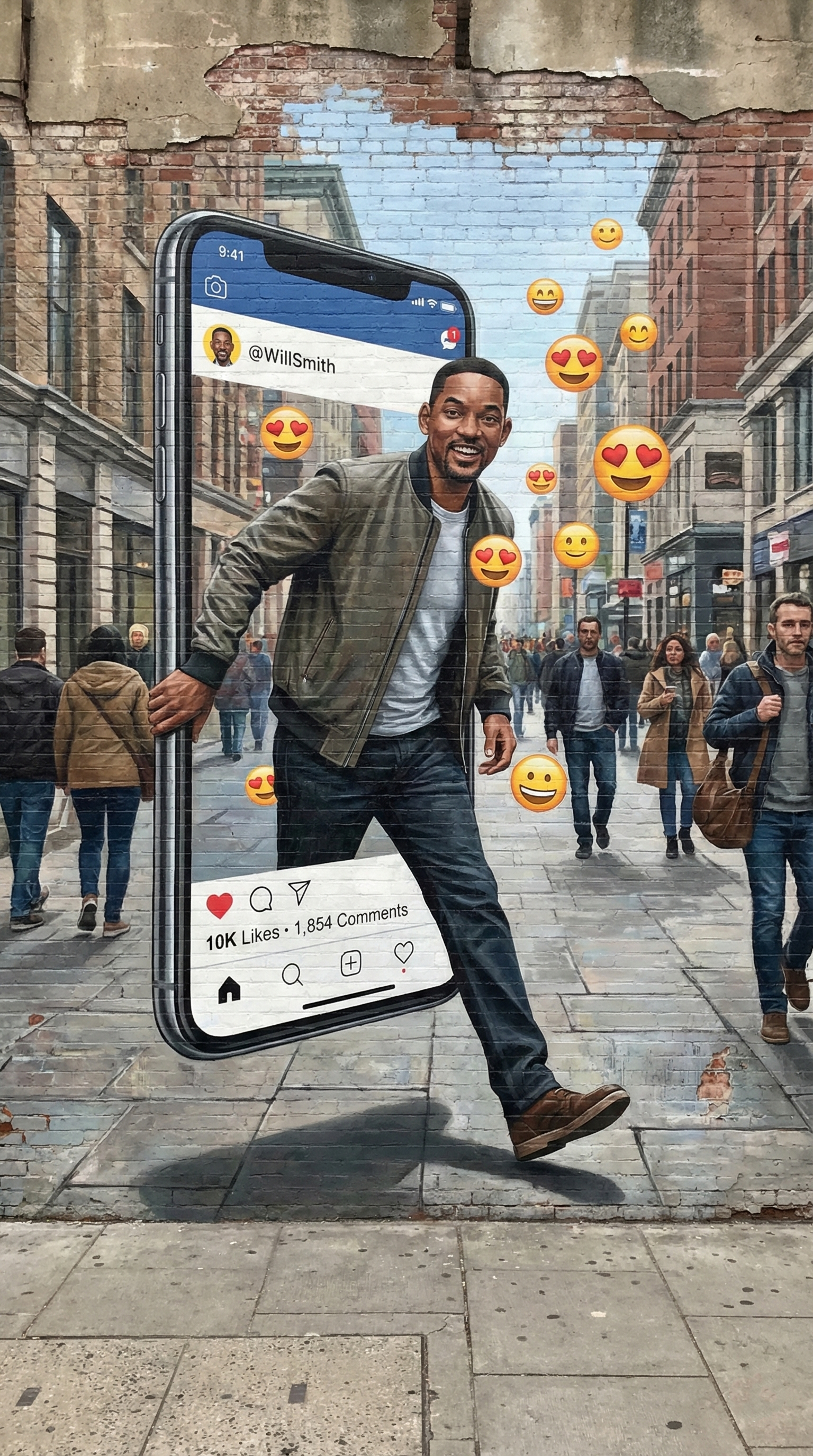
Image Analysis Report
Composition, style, light, color, and remake notes.
Recreation Prompt
Copy-ready prompt after unlock.
A trompe-l'oeil street art mural painted on a weathered brick wall, depicting a charismatic man stepping out of a giant smartphone screen onto a real city sidewalk. The smartphone screen displays a clean social media app interface with a blue header and text metrics. The man wears a casual grey jacket and blue jeans, breaking the boundary of the digital frame. Dozens of glossy, vibrant yellow 3D emojis float around him in a swirling trail. Eye-level medium full shot, bright diffused daylight casting realistic soft drop shadows on the pavement to create a convincing 3D pop-out illusion. Deep perspective urban street background with blurred pedestrians.
Open the full image report for the complete analysis and the prompt workspace.
View full image reportWhy ViraFlow
Imagine turning a reference into a creative map, not a flat sentence. ViraFlow reads the image structure, style signals, and remake path so creators can control what happens next.
ViraFlow reads the image first, then separates subject, frame, lighting, camera language, texture, and mood so your next prompt starts from evidence instead of guesswork.
A normal image prompt generator gives you one paragraph. ViraFlow gives you the visual logic behind the reference and a prompt draft built for controlled recreation.
The output calls out angle, lens feel, depth, palette, background rhythm, and styling cues, which helps creators remake the look without flattening everything into generic words.
Features
Use ViraFlow to convert image to prompt with the details that make a creator's reference worth recreating.
Break down layout, focal point, negative space, subject placement, and visual hierarchy before writing the final image to prompt result.
Capture mood, lighting, color, texture, realism level, and creator-friendly style cues for AI image prompt generator workflows.
Get a prompt that is easier to edit because subject, scene, style, camera, and quality signals are organized instead of mashed together.
Understand the reference and copy the finished prompt. This helps with reverse image to prompt tasks, not just one-off generation.
Upload a screenshot, product visual, ad reference, or public image URL and get usable copy for your next creation session.
The page follows the same analyze, structure, and recreate mindset as ViraFlow's video tools, so image prompts can support bigger creative campaigns.
Output stack
Reference reading: what the image is doing visually and why it works.
Structure map: subject, environment, composition, lighting, camera feel, palette, texture, and mood.
Reusable prompt: a clean final draft you can paste into an AI image generator or adapt for a new concept.
From reference to remake
ViraFlow is designed for creators who need to remake a visual style, brief a designer, test ad concepts, or build a repeatable AI image prompt generator workflow.
Upload an image or paste a public image URL.
Let ViraFlow extract the visual structure and style signals.
Copy the analysis, refine the prompt, and keep creating.
Better than a plain prompt
When creators search for imagine two point, imagine 2.0 image prompts, image to prompt online, or an AI image prompt generator, they usually need control. This page gives them a readable breakdown before the final prompt.
Most image prompt tools
PlainReturn a short generic prompt that often misses composition, style logic, and remake control.
ViraFlow Image to Prompt
StructuredExplains the image, identifies reusable visual rules, then turns those rules into a prompt creators can actually edit.
Use cases
Turn a saved reference into an Image to Prompt Generator brief for GPT Image 2, Nano Banana Pro, Nano Banana 2, or your next design tool.
Build repeatable creative direction for social posts, ads, thumbnails, product shots, and creator moodboards.
Convert image to prompt without losing the camera angle, composition, lighting, color palette, and material details.
Use reverse image to prompt analysis to understand why a visual works before making a new version.
Use the same ViraFlow credits for image to prompt analysis, video breakdowns, and next-step AI creation.
For video creation beginners
$0.0125 / credit
Usage
Included
For video-making hobbyists
$0.0118 / credit
Usage
Included
For frequent creators
$0.0110 / credit
Usage
Included
FAQ
What is an image to prompt generator?
It turns a reference image into a structured analysis and a reusable prompt that can guide a new AI image.
Can I use a public image URL?
Yes. ViraFlow supports both uploaded files and public image URLs.
What do I get in the result?
You get a readable analysis report, a prompt draft, and a JSON view for copying into your workflow.
Can I keep refining the prompt?
Yes. The output is designed to be edited, reused, and pushed into the next creative step.
Create from the reference
Use ViraFlow as your Image to Prompt Generator for imagine 2.0 style research, product visuals, social ads, thumbnails, and repeatable creator workflows.